About RecToGo
RecToGo is an iOS application that offers high-quality audio recording, multiple format options, 1-tap uploads to Google Drive or iCloud, and user-friendly playback controls.
Developed for personal use, RecToGo offers a simple, user-friendly interface with reliable cloud integration features.
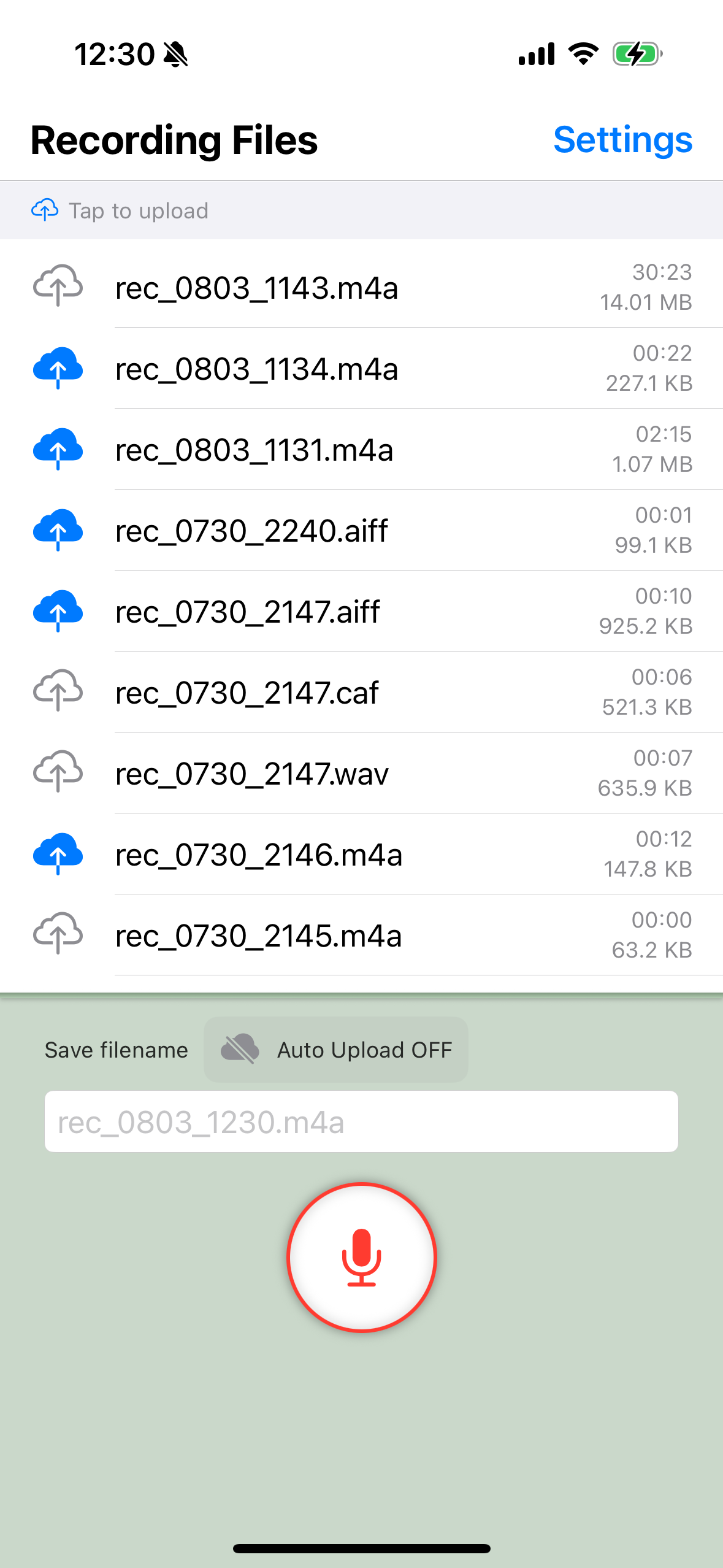
Easy Cloud Upload
- Simply tap the cloud icon on the left to upload your recordings to the cloud
- With the Pro plan, enable auto-upload before recording to automatically upload after recording is complete
- Compatible with both Google Drive and iCloud, allowing you to choose your preferred cloud service
Key Features
High-Quality Audio Recording
Record high-quality audio with a simple tap. Perfect for meetings, lectures, and quick notes.
Audio Format Selection
Choose from multiple audio formats (.m4a, .wav) to balance sound quality and file size.
1-Tap Cloud Upload
Seamlessly upload your recordings to Google Drive or iCloud with just one tap for easy sharing and backup.
Advanced Playback
Features playback controls including play, pause, fast-forward, and rewind to efficiently listen to your recordings.
Simple UI
Intuitive and easy-to-use interface. Record, play, and manage your audio files effortlessly.
Pricing Plans
Free Plan
Up to 5 cloud uploads per week. Access to all basic recording and storage features.
Pro Plan
Unlimited cloud uploads and automatic sync functionality. Enhanced recording experience.
Important Information
Privacy Policy
Detailed explanation of how RecToGo handles your information and protects your privacy.
Read Privacy PolicyTerms of Service
Terms and conditions for using RecToGo, including user responsibilities and app functionality.
Read Terms of ServiceTarget Users
RecToGo is perfect for:
- Professionals - Recording meetings and conferences
- Students - Recording lectures and study materials
- Journalists - Recording interviews and field work
- Content Creators - Producing podcasts and audio content
- General Users - Saving daily memos and voice notes
System Requirements
- iOS 13.0 or later
- Microphone access permission
- For Google Drive integration: Valid Google account
- For iCloud Drive integration: iCloud account